> ## Documentation Index
> Fetch the complete documentation index at: https://destek.leaderos.com.tr/llms.txt
> Use this file to discover all available pages before exploring further.
# Stripe
* `Ayarlar > Ödeme Yöntemleri` sayfasına gidin ve alanları doldurun.
| Ayarlar | Açıklama |
| -------------------------- | ----------------------------------------- |
| **Stripe Publishable Key** | Stripe > Geliştiriciler > API Anahtarları |
| **Stripe Secret Key** | Stripe > Geliştiriciler > API Anahtarları |
| **Stripe Webhook Key** | Stripe > Geliştiriciler > Webhooks |
## API kimlik bilgilerini nasıl alabilirim?
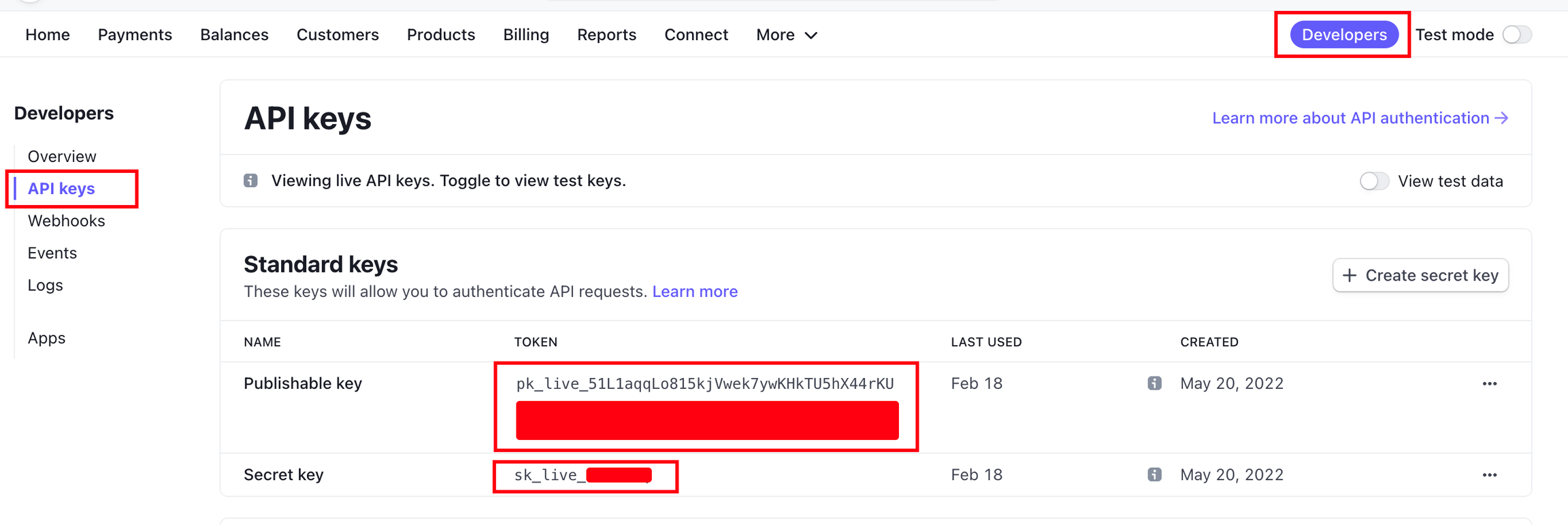
* Stripe API bilgilerine erişmek için, Stripe **Dashboard > Geliştiriciler > API Anahtarları** sayfasına gidin.
* [https://dashboard.stripe.com/apikeys](https://dashboard.stripe.com/apikeys)
* Hem Publishable Key hem de Secret Key'i kopyalayın ve web sitenizde gerekli alanlara girin.
 * Oyunculardan ücret almak için gerekli tüm bilgilere sahibiz, ancak şimdi Webhook seçeneklerini yapılandırmalıyız.
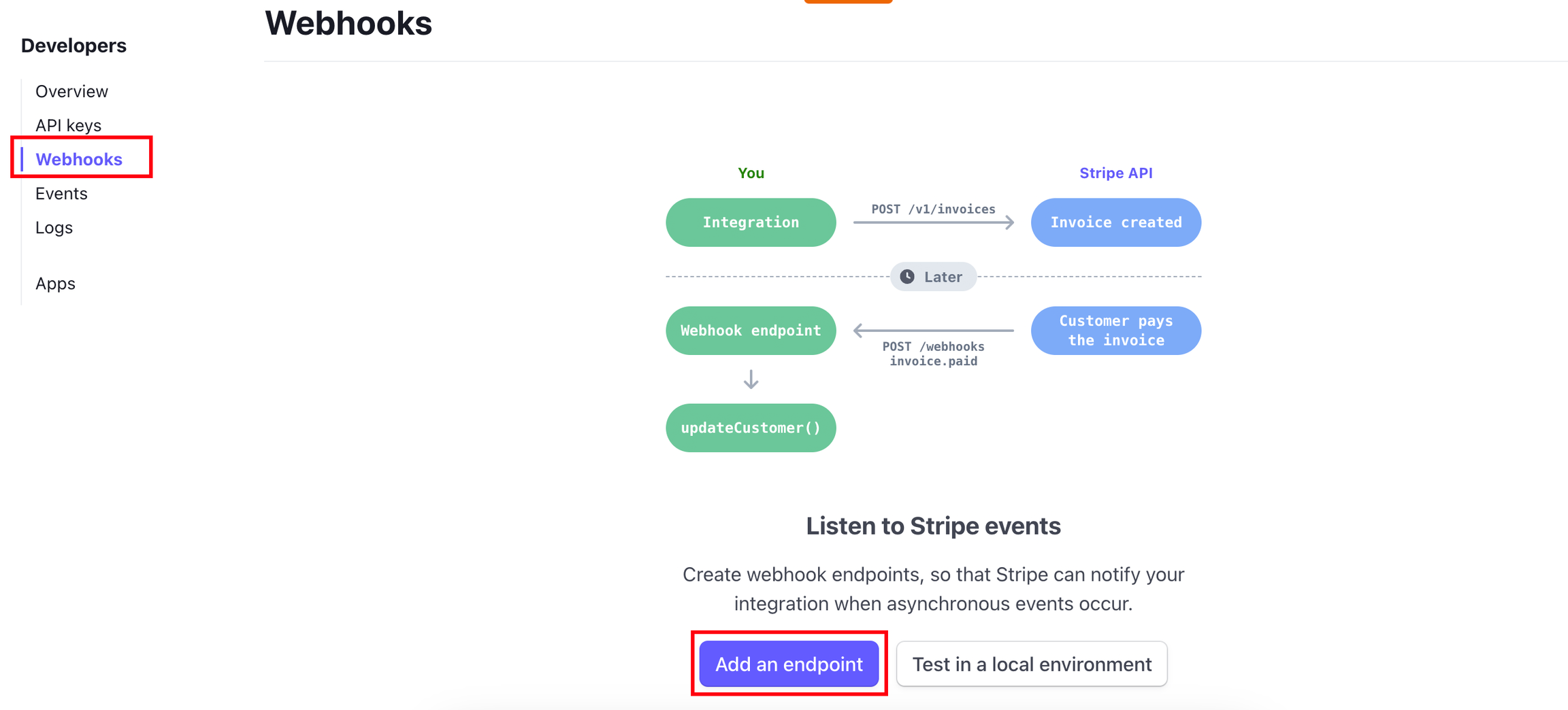
* Bir Webhook eklemek için, **Stripe Dashboard > Geliştiriciler > Webhooks** sayfasına gidin ve **"Add Endpoint"** butonuna basın.
* [https://dashboard.stripe.com/webhooks](https://dashboard.stripe.com/webhooks)
* Oyunculardan ücret almak için gerekli tüm bilgilere sahibiz, ancak şimdi Webhook seçeneklerini yapılandırmalıyız.
* Bir Webhook eklemek için, **Stripe Dashboard > Geliştiriciler > Webhooks** sayfasına gidin ve **"Add Endpoint"** butonuna basın.
* [https://dashboard.stripe.com/webhooks](https://dashboard.stripe.com/webhooks)
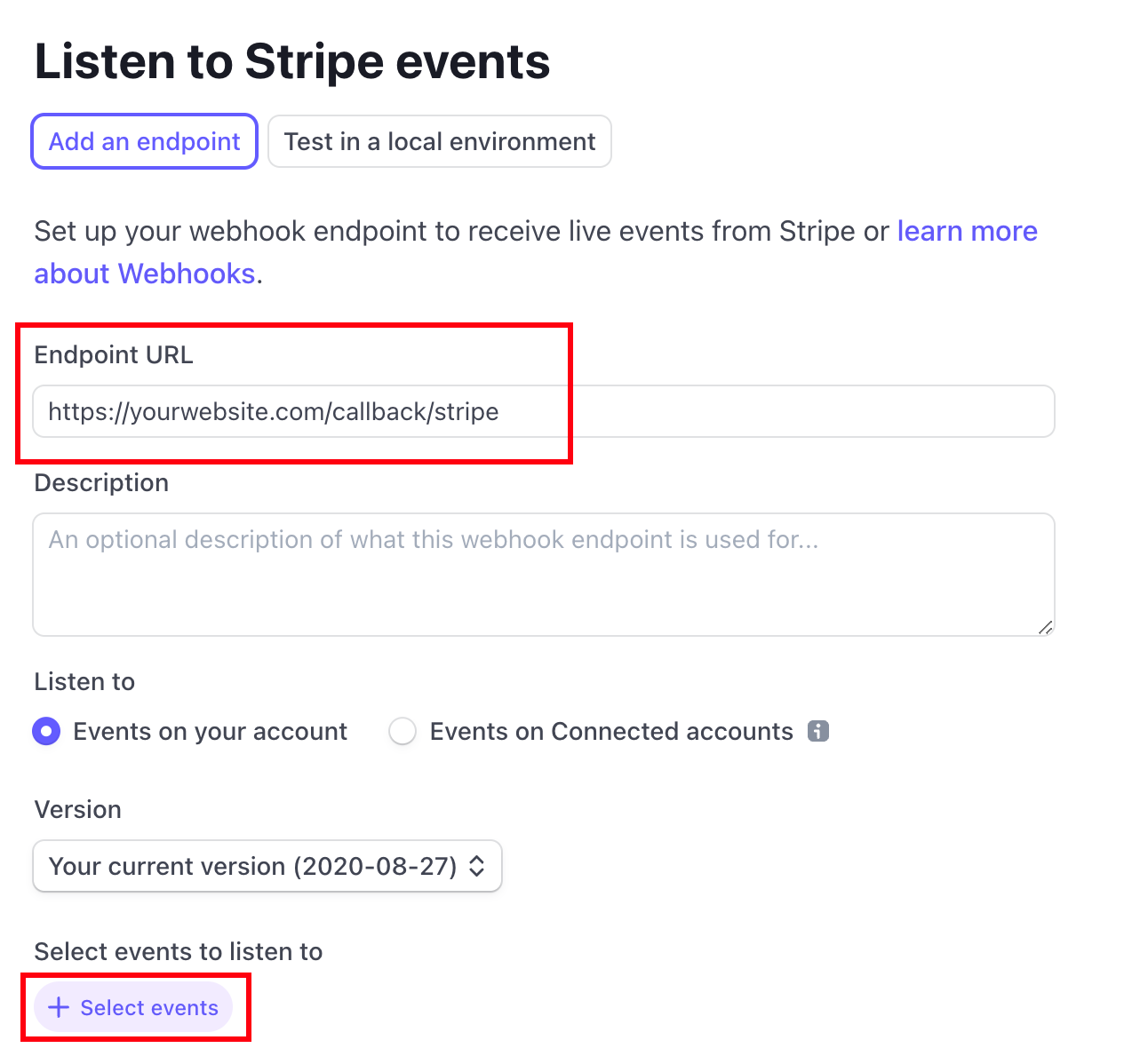
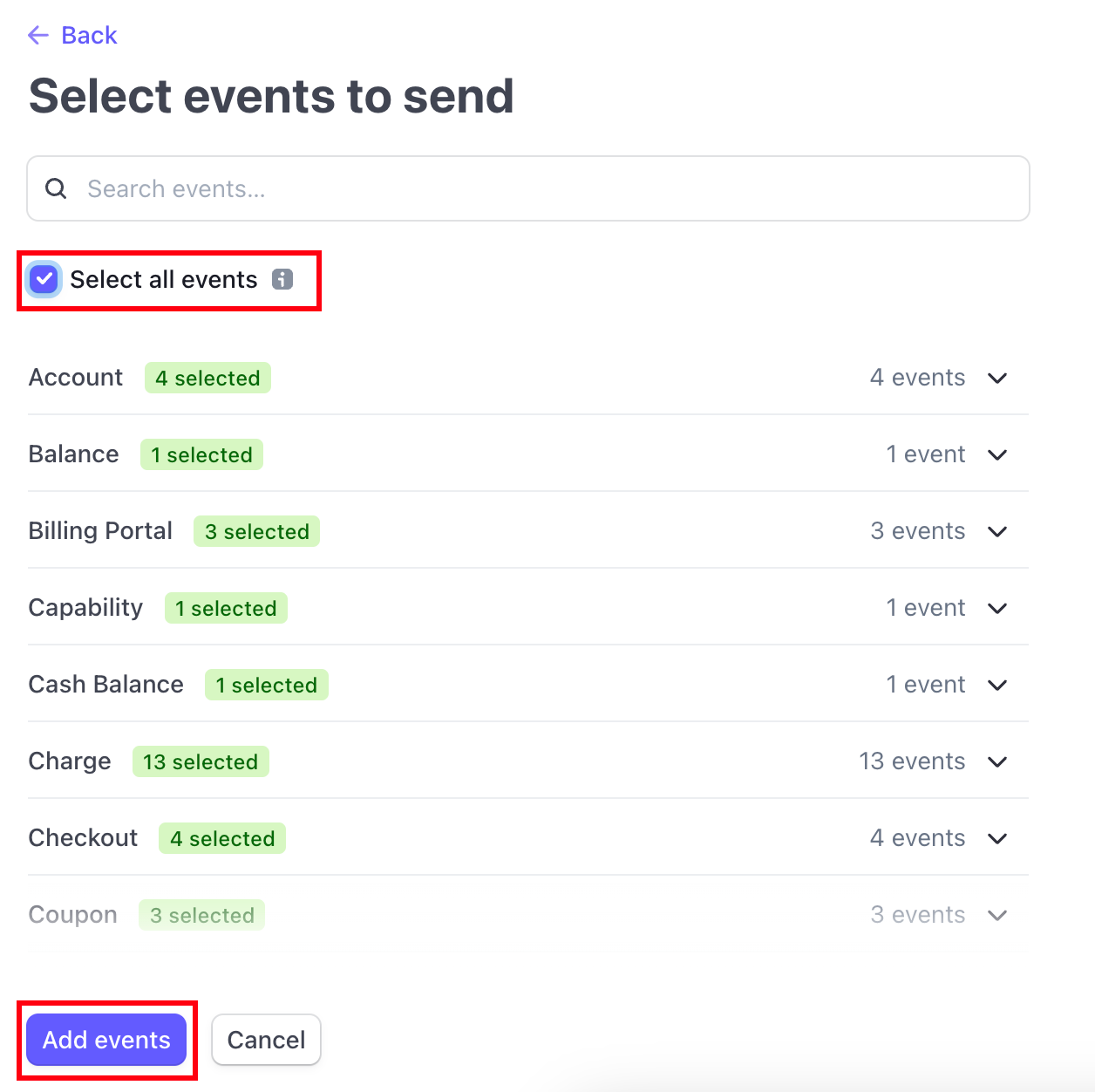 * Stripe Webhook Key'imiz şimdi oluşturuldu. Signing Secret bölümünden, Reveal butonuna basın ve anahtarı kopyalayın. Ardından, bu anahtarı web sitenizdeki Stripe API Webhook Key alanına yapıştırın.
