> ## Documentation Index
> Fetch the complete documentation index at: https://destek.leaderos.com.tr/llms.txt
> Use this file to discover all available pages before exploring further.
# Paraşüt
> Websitenizdeki ödemeleri kolayca faturlandırmanıza olanak sağlar.
### Nasıl entegre edilir?
Paraşüt üyeliğinizi açıp aktifleştirdikten sonra aşağıdaki adımları takip ederek Paraşüt entegrasyonunu yapabilirsiniz.
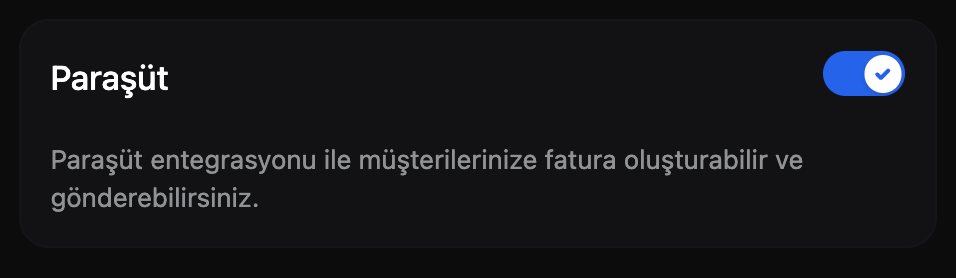
1. **Yönetim Paneli > Ayarlar > Modüller** sayfasına gidin. **Paraşüt** modülünü aktif edin.
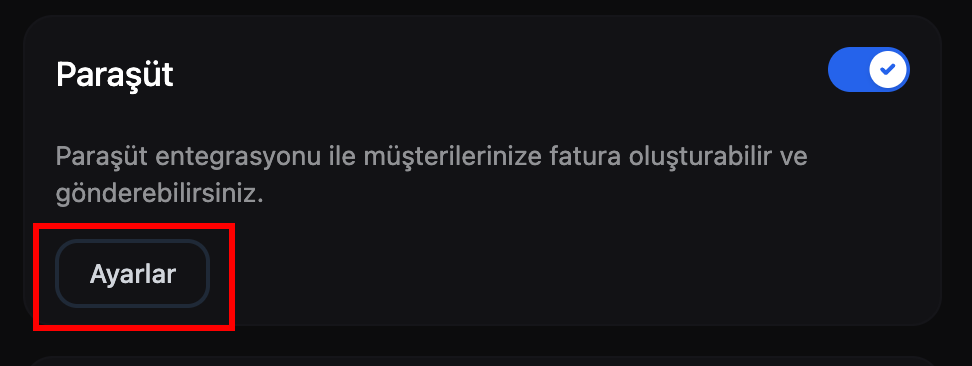
 2. Modülü aktif ettikten sonra modül kartındaki **Ayarlar** butonua tıklayın ve entegrasyonu tamamlayın.
 * **Client ID:** Bu bilgiyi Paraşüt Destek ekibinden talep ediniz.
* **Client Secret:** Bu bilgiyi Paraşüt Destek ekibinden talep ediniz.
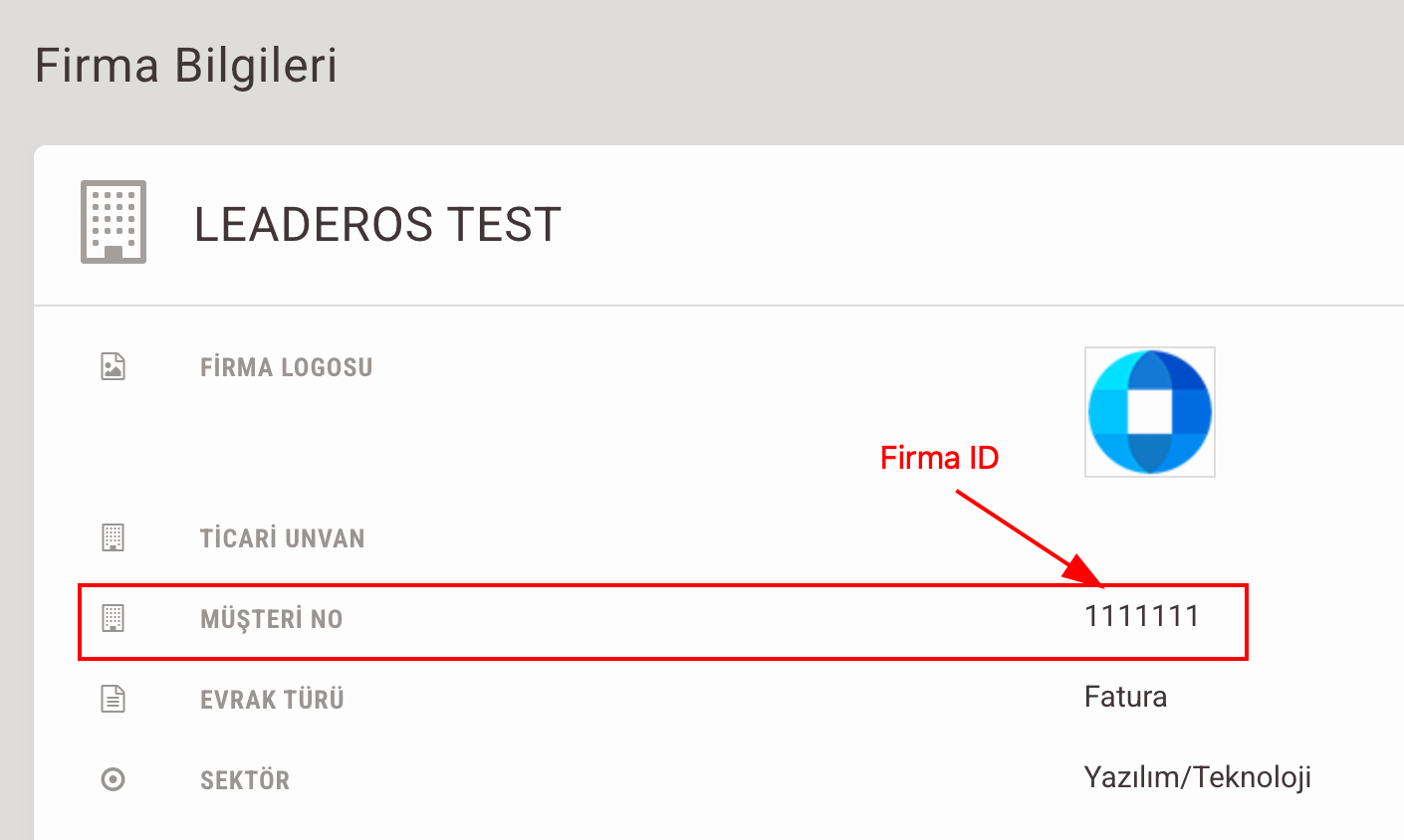
* **Firma ID:** Bu bilgiye **Paraşüt Paneli > Ayarlar > Firma Bilgileri > Müşteri No** kısmından ulaşabilirsiniz.
* **Client ID:** Bu bilgiyi Paraşüt Destek ekibinden talep ediniz.
* **Client Secret:** Bu bilgiyi Paraşüt Destek ekibinden talep ediniz.
* **Firma ID:** Bu bilgiye **Paraşüt Paneli > Ayarlar > Firma Bilgileri > Müşteri No** kısmından ulaşabilirsiniz.
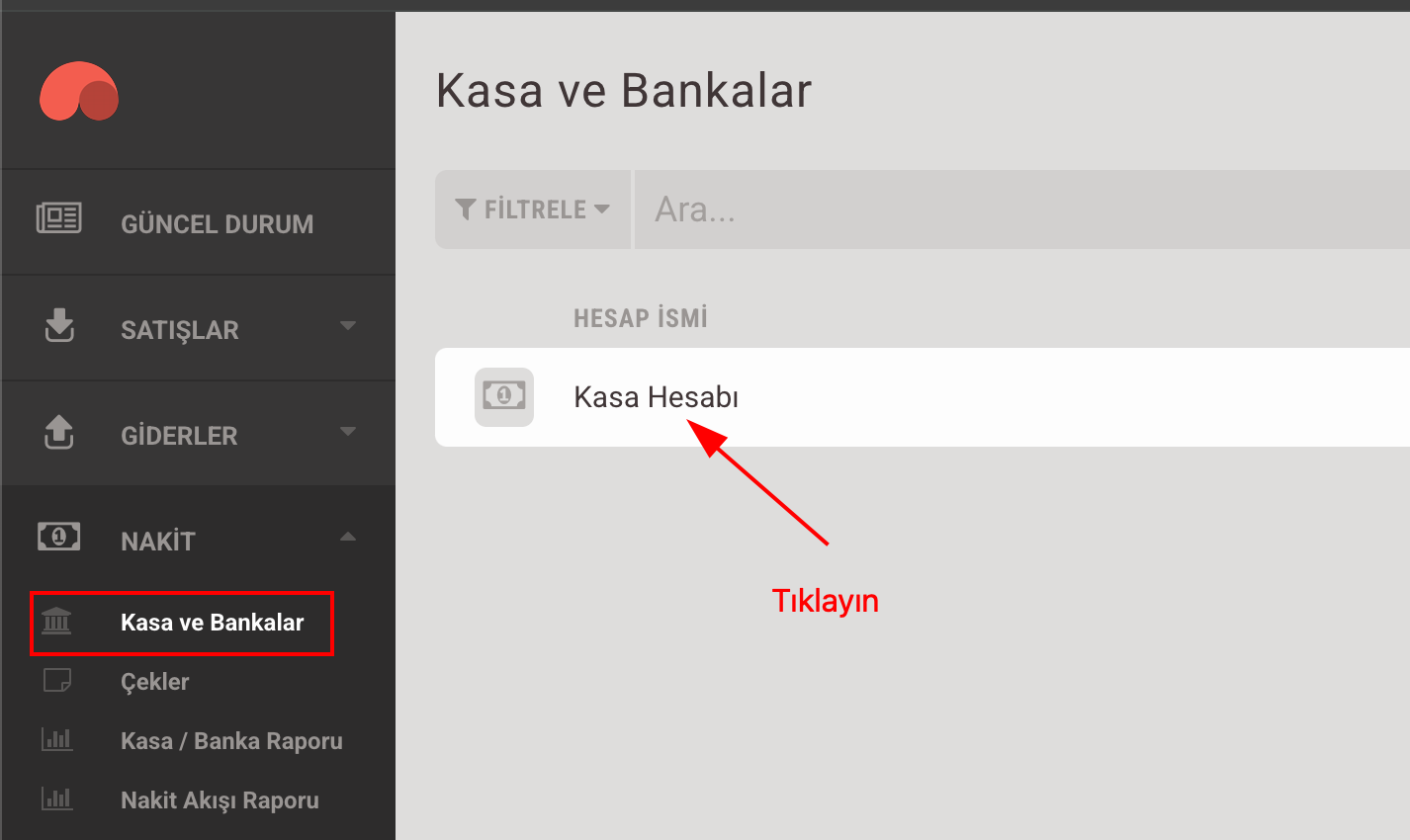
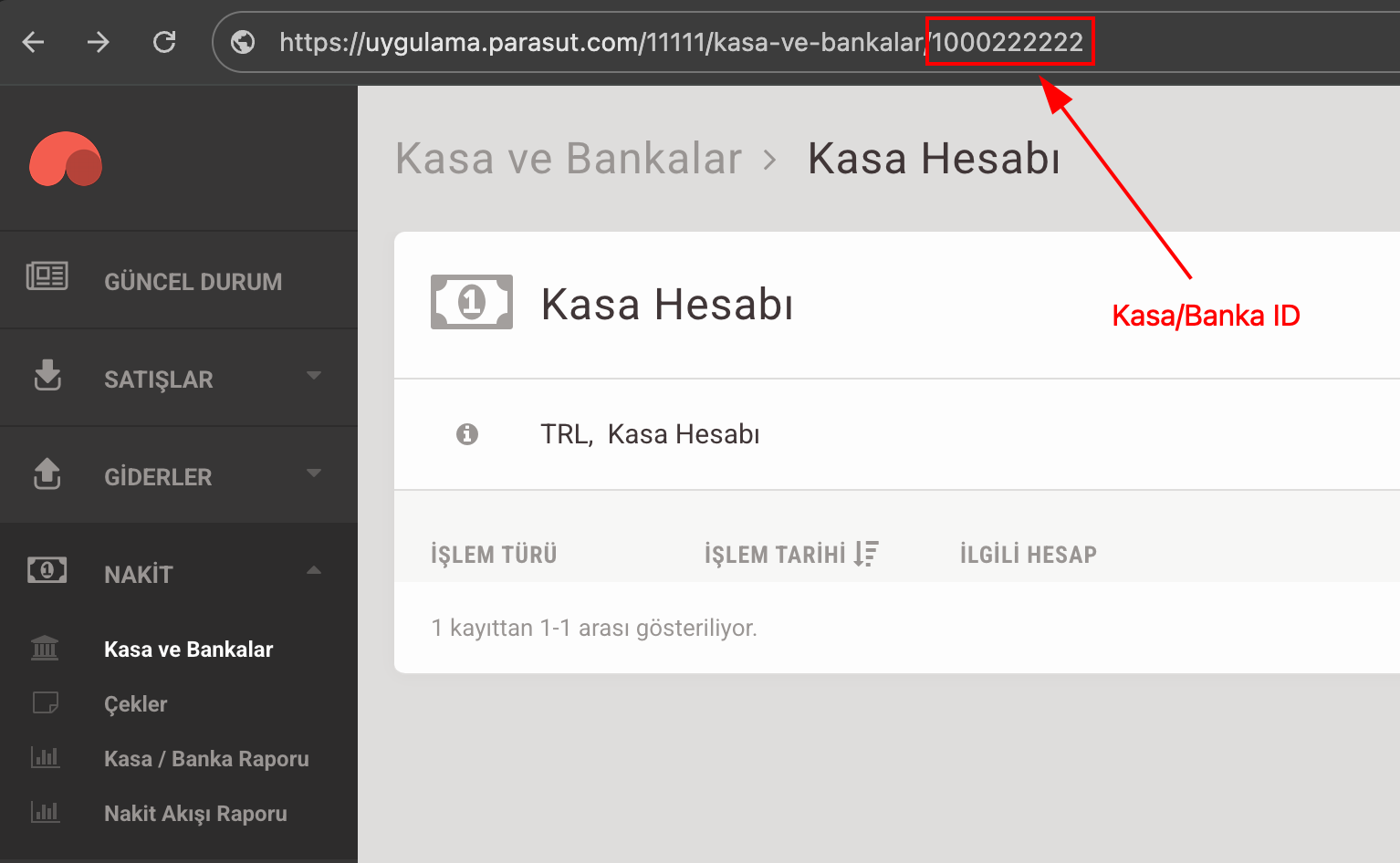
 * **Kasa/Banka ID:** Bu bilgi için **Paraşüt Paneli > Nakit > Kasa ve Bankalar > Kasa Hesabı** sayfasına gidin ve URL'de bulunan ID'yi kullanın.
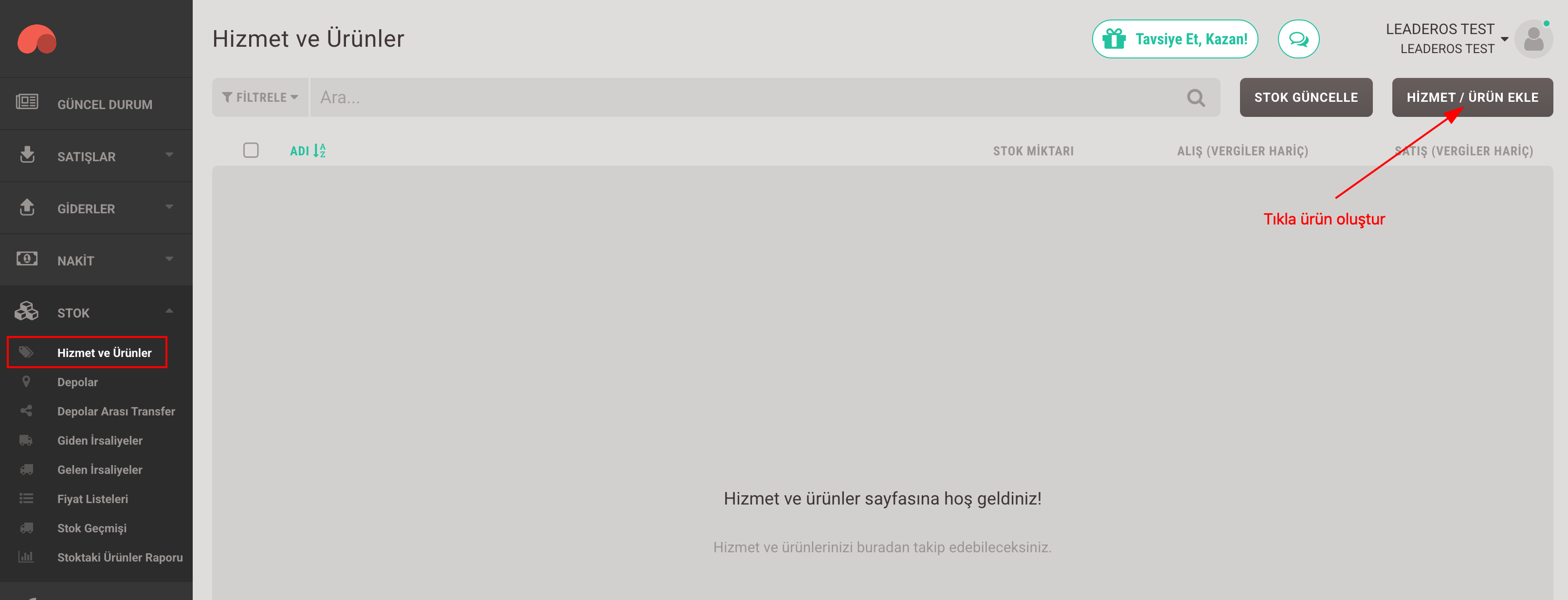
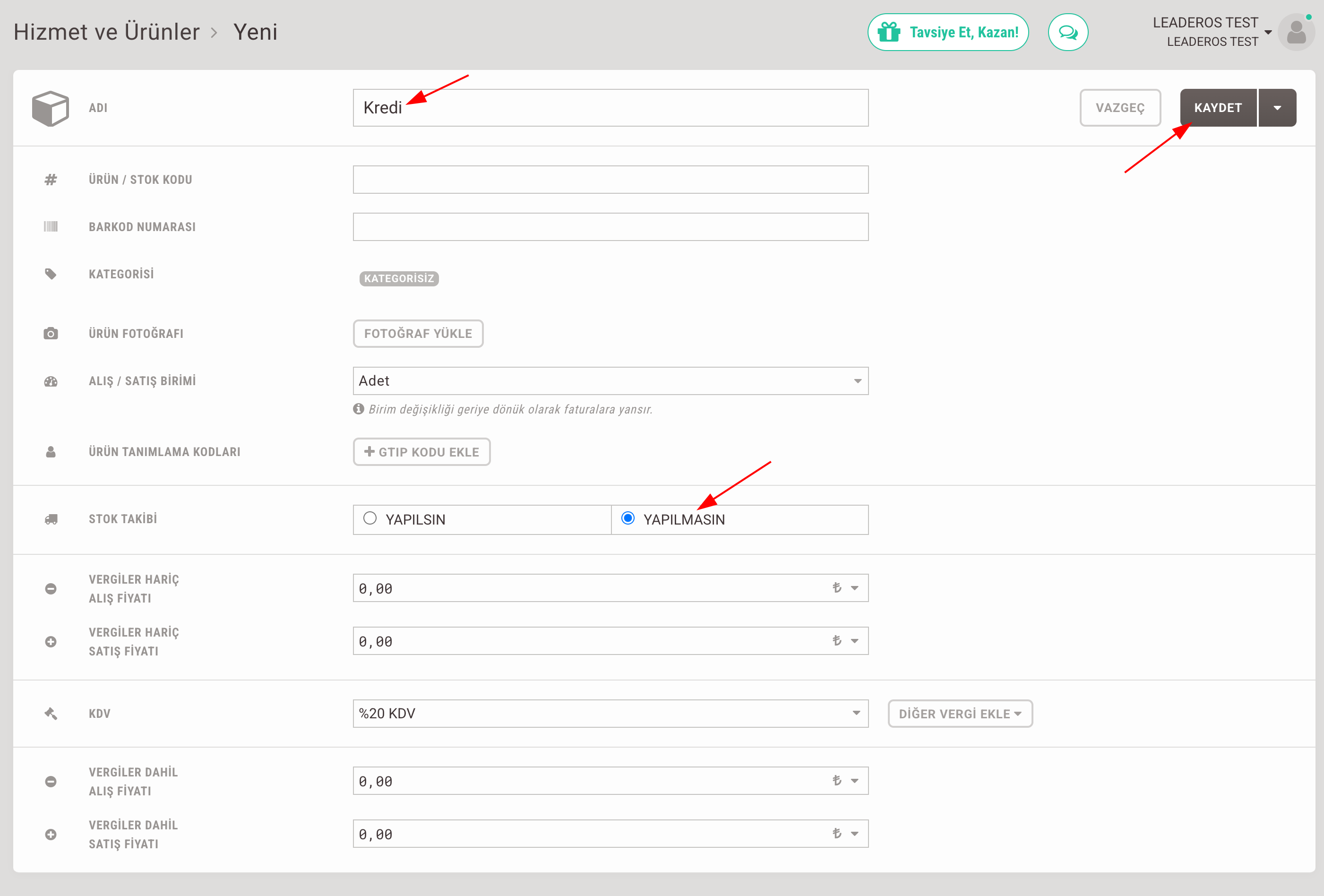
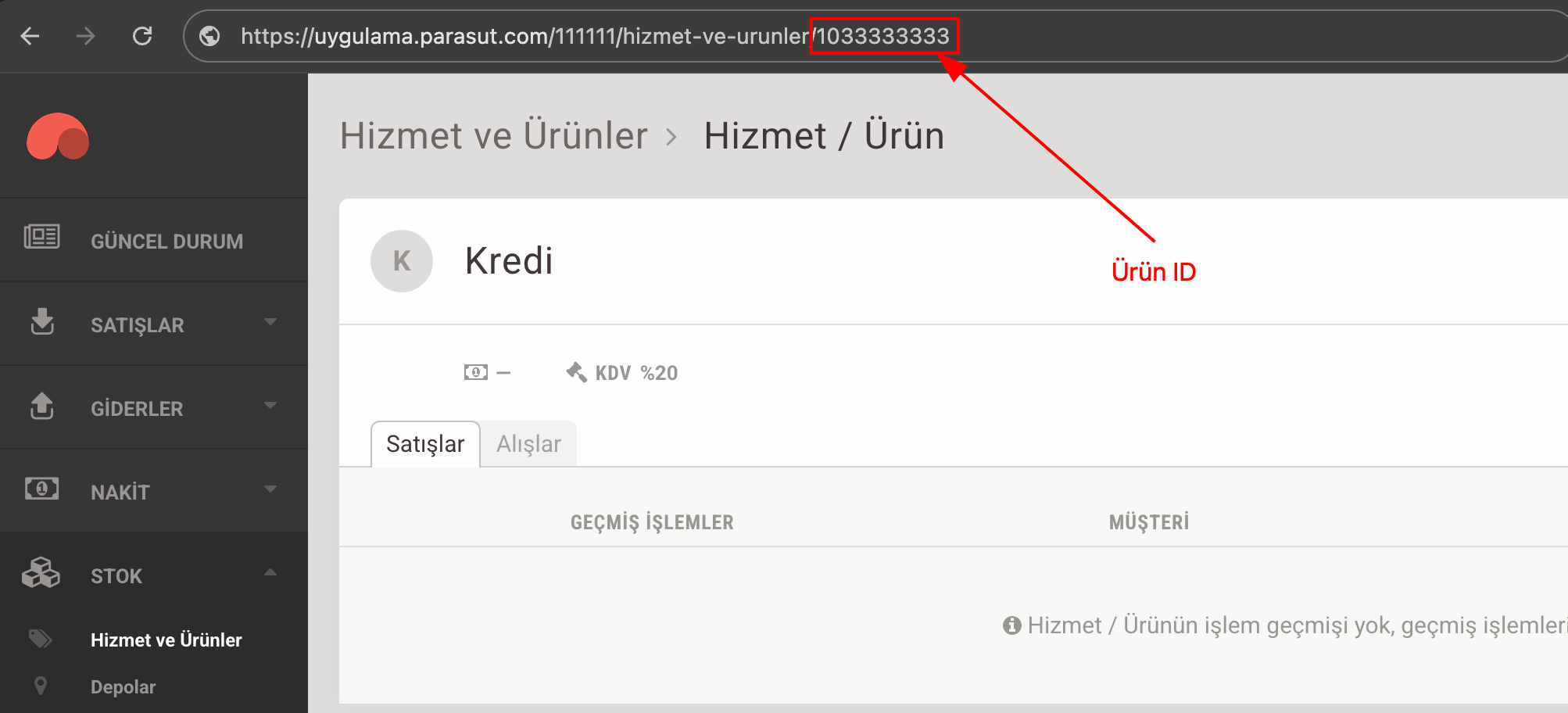
 * **Ürün ID:** Bu bilgi için **Paraşüt Paneli > Stok > Hizmetler ve Ürünler** sayfasına gidin. "**Hizmet/Ürün Ekle**" butonuna tıklayın ve ürün ekleyin. Ürün adını "**Kredi**" olarak girin. Yönlendirildiğiniz sayfada URL'de bulunan Ürün ID'yi kullanın.
 * **Doğrulama Türü:** Bunu **Email-Şifre** olarak seçin.
* **E-posta:** Paraşüt hesabınıza giriş yaparken kullandığınız e-posta adresini girin.
* **Şifre:** Paraşüt hesabınıza giriş yaparken kullandığınız şifreyi girin.
* **Geliştirme Modu:** Devre dışı bırakın.
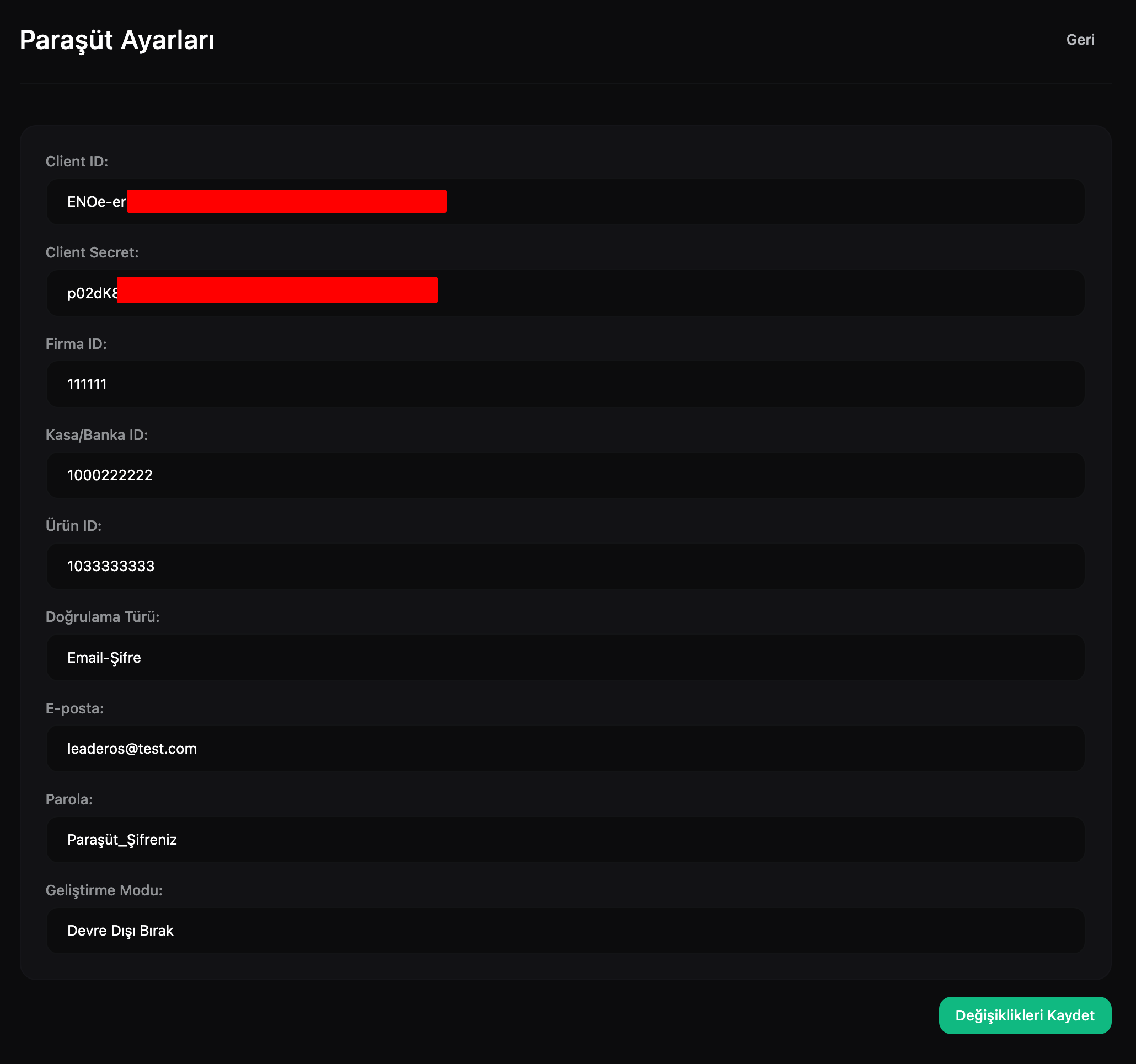
3. Entegrasyon bilgilerinizi girdiğinizde sayfa bu şekilde görünecektir:
* **Doğrulama Türü:** Bunu **Email-Şifre** olarak seçin.
* **E-posta:** Paraşüt hesabınıza giriş yaparken kullandığınız e-posta adresini girin.
* **Şifre:** Paraşüt hesabınıza giriş yaparken kullandığınız şifreyi girin.
* **Geliştirme Modu:** Devre dışı bırakın.
3. Entegrasyon bilgilerinizi girdiğinizde sayfa bu şekilde görünecektir: